OpenLineage: Tabularia in your data catalog
Tabularia derives the lineage of its own workspace for the Lineage page. Optionally it also tells that lineage to an external catalog in the OpenLineage standard, with the official Python client, so that Marquez, DataHub, Astro, OpenMetadata or any other collector sees what every run read and wrote next to the lineage it already receives from other tools.
Nothing changes in Tabularia when it is on: events leave after the commit that closes a run, from a background thread, and a collector that is down or slow never fails a run. The other integrations are listed in Integrations.
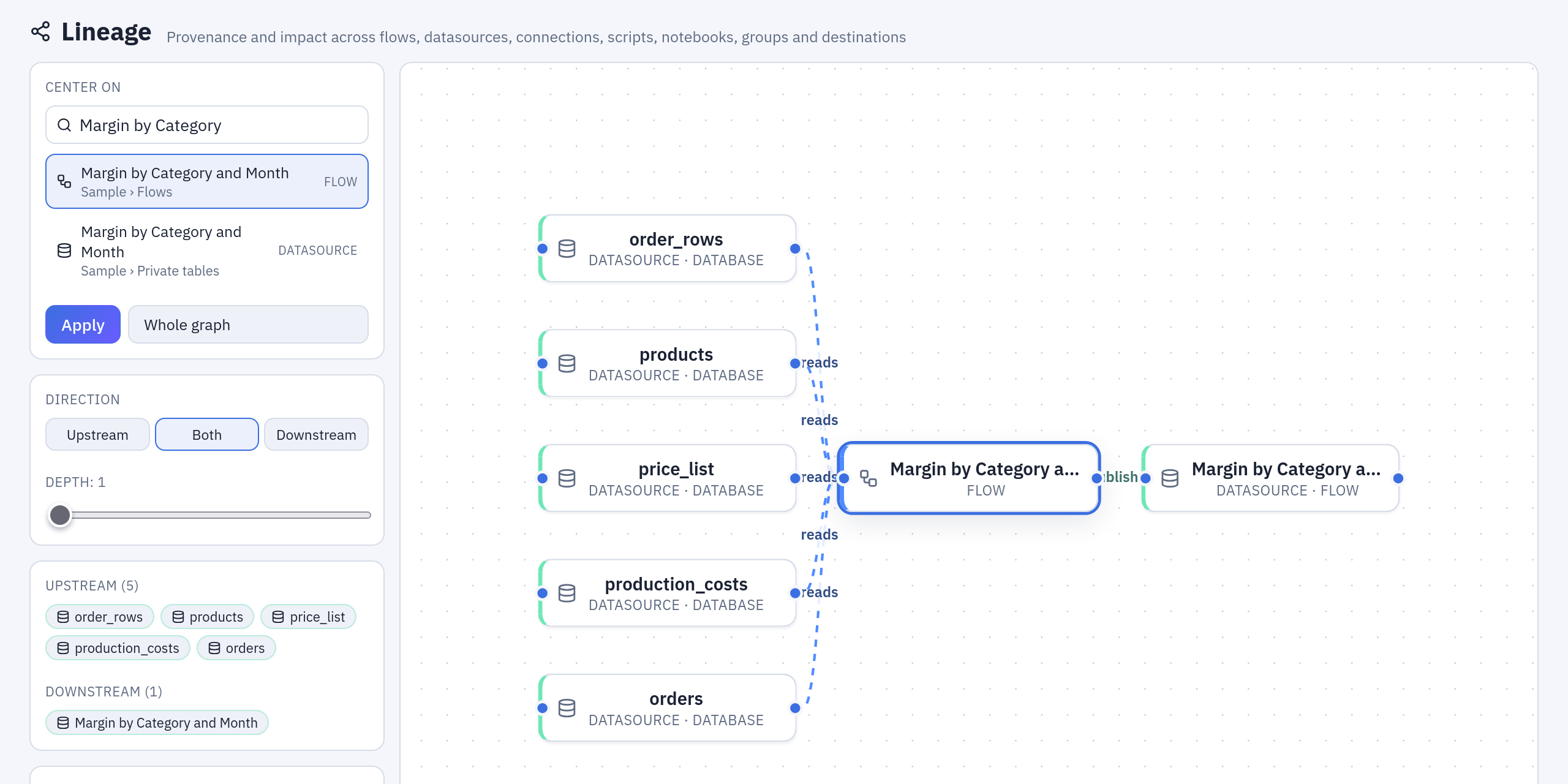
The Lineage page, inside Tabularia: what the sample flow «Margin by Category and Month» reads and writes. OpenLineage sends the same facts, run by run, to your catalog.
Turn it on
| Variable | Meaning |
|---|---|
OPENLINEAGE__URL | The collector's base URL, e.g. http://marquez:5000. Empty = off. |
OPENLINEAGE__ENDPOINT | Path of the lineage endpoint, default api/v1/lineage (Marquez, Astro). DataHub: openapi/openlineage/api/v1/lineage. |
OPENLINEAGE__API_KEY | Bearer token, if the collector wants one. |
OPENLINEAGE__FILE | Write the same events as JSON Lines to this path, instead of or besides the URL (air-gapped setups, custom pipelines). |
OPENLINEAGE__NAMESPACE | The namespace of this installation's jobs, default tabularia. One per installation (tabularia-prod, tabularia-staging…). |
OPENLINEAGE__TIMEOUT_SECONDS | HTTP timeout per attempt, default 10; an event is tried three times at most. |
The library's own configuration works too: OPENLINEAGE_URL, OPENLINEAGE_API_KEY,
or OPENLINEAGE_CONFIG=/path/openlineage.yml for composite or custom transports —
see the
client documentation. The Kafka
transport needs the confluent-kafka package, which the image does not ship. Set the variables
on every gateway and orchestrator process (they are the ones that close runs); the
Helm chart takes them from openlineage.* and secrets.openlineageApiKey. The
gateway logs one line at start-up saying where events go.
Quick local collector for a test:
docker run -d --name marquez-db -e POSTGRES_USER=marquez -e POSTGRES_PASSWORD=marquez -e POSTGRES_DB=marquez postgres:16-alpine
docker run -d --name marquez --link marquez-db -p 5000:5000 -e POSTGRES_HOST=marquez-db -e POSTGRES_USER=marquez -e POSTGRES_PASSWORD=marquez -e POSTGRES_DB=marquez marquezproject/marquez
docker run -d --name marquez-web --link marquez -p 3005:3000 -e MARQUEZ_HOST=marquez -e MARQUEZ_PORT=5000 marquezproject/marquez-web
then OPENLINEAGE__URL=http://marquez:5000 on a network the gateway shares with it.
What is reported
Everything that runs is traced as a flow is: flows, refreshes, SQL scripts, saved
scripts, flow groups with their cells, the Script and Container nodes of a flow, and
the sessions of a notebook. Every run that reaches a terminal state sends a START
and a COMPLETE (or FAIL) RunEvent, with the real start and end times, so the
catalog computes durations. A notebook's session is told while it lives (see
Notebooks).
| Tabularia | OpenLineage job | Inputs | Outputs |
|---|---|---|---|
| A flow run (manual, scheduled, or from the editor) | <folder path>/<flow name> | every datasource the flow's source nodes read; a file uploaded in the editor | the union of what its output nodes wrote |
| An output node of that run | <folder path>/<flow name>.<output>, child of the flow run (ParentRunFacet) — datasource <name>, table <name>, file <key> (for SFTP file /<folder>/<name template>), email | the flow's inputs | the datasource published, the table written, the S3/GCS object, the SFTP file, the mirror copy |
A nested flow (Run flow node) | its outputs stay under the nested flow's own job name | ||
| A datasource refresh (database, SharePoint, SFTP, S3 folder or HTTP API), by hand, on schedule or inside a flow | <folder path>/<datasource> (refresh) | the table; the tables a SQL query reads; the SharePoint file; the SFTP or S3 folder and glob; the API's path | the datasource |
| A Script or Container node of a flow | <folder path>/<flow name>.script <label> / .container <label>, child of the flow run | the datasources whose data reaches the node's input, and the inputs a saved script it runs declares | — (what it hands to the next nodes is not a dataset: the Outputs write) |
| A SQL script writing its datasource (Refresh now, its schedule, a flow group's cell) | <folder path>/<script name> (SQL script) | on the catalog, the datasources the SQL names (as resolved when the write started); on a connection, the tables the SQL reads (found with sqlglot, as for a SQL datasource's refresh; a query it cannot parse gives none, its text stays in the sql facet) | the datasource |
| A saved script's run (Run, its schedule, a flow group's cell) | <folder path>/<script name> (script) | the datasources it declares as inputs | the datasource it publishes, if it does |
| A notebook's session (the app, or the editor) | <folder path>/<notebook name> (notebook) | the datasources it reads with tabularia.read | — (notebooks only read) |
| A flow group's run | <folder path>/<group name> (flow group) | the union of what its cells read | the union of what its cells wrote |
| A Container cell of a flow group | <group's job>.container <label>, child of the group run | — | — |
| A Pushmail cell of a flow group | <group's job>.pushmail <label>, child of the group run | the datasources it attaches | the email (see below) |
The kind in brackets keeps a SQL script, a saved script, a notebook and a flow group
apart from a flow with the same name in the same folder. An Output node's email is a
dataset like a Pushmail cell's: namespace smtp://<host>:<port>, name
/<folder path>/<flow name>/email (one dataset for a flow's emails through one server),
never the recipients.
One job per node, whatever started it. Marquez nests a job under its parent's
name when a run carries a ParentRunFacet (<parent>.<child>). So the parent facet
is sent only for the steps that exist only inside their parent: the Output, Script
and Container nodes of the flow itself, and the Container and Pushmail cells of a
flow group, which is where that hierarchy is wanted. Everything with a life of its
own — a refresh triggered by a flow, the outputs of a nested flow, and the flows,
refreshes, SQL scripts and saved scripts a flow group runs — keeps the same job it
has when it runs on its own, and points at the orchestration or the group run that
contained it through the tabularia run facet (parentRunId). The same object run
from the editor, on its schedule or inside a group always lands in the same job.
Every run carries a tabularia run facet
(schema): runId (GET /runs/{runId}),
kind, trigger (manual/schedule), engine, parentRunId, and version (the
SQL script's, saved script's or notebook's version that ran); a notebook's session
has no runId but its mode (app or edit).
Flow groups
A group run is the parent of its cells, as a flow's run is of its Outputs. Its job
carries what its cells read and wrote; the Container and Pushmail cells are its child
jobs; the flows, refreshes, SQL scripts and saved scripts it runs keep their own jobs
and name the group run in parentRunId. A Container cell's job, and a Container
node's, carries the image in the tabularia_container job facet
(schema): registry, registryHost,
repository, the tag asked for and the digest it was resolved to when the run
started, and the full image reference.
The email of a Pushmail cell is a dataset: namespace smtp://<host>:<port> (the SMTP
connection's server, port 587 when the connection does not set one), name
/<folder path>/<group name>/<cell label>. The recipients are not in it, nor anywhere
in the events: e-mail addresses do not leave the installation.
Notebooks: a session is a run
The job is the notebook; a run is a session of its pod, from the moment it starts to the moment it stops (by hand, idle, or replaced by a new version). Tabularia sends:
STARTwhen the pod is created, with no inputs (nothing has been read yet);RUNNINGthe first time the session reads a datasource withtabularia.read, with that datasource as its input — once per datasource and session, however many times the cells run again;COMPLETEwhen the session stops (or the notebook is deleted while it runs), with every datasource it read;FAILwhen the pod could not start, with the reason;ABORTwhen it was stopped before it started.
The app and the editor of a notebook can run at the same time: each session has its own reads, so one reading a datasource does not take it from the other's closing event.
This follows the standard: a run's datasets accumulate over its events, and RUNNING
is the event meant for what a run learns while it runs. The closing event repeats
every input so that collectors which only look at the terminal event still see them.
A notebook only reads: its runs have no outputs. The reads are also kept for the
Lineage page, which draws a notebook as a reader of every datasource it has read.
Dataset names
| Dataset | namespace | name | Facets |
|---|---|---|---|
| A Tabularia datasource | tabularia://<namespace> | /<folder path>/<name> — the name you see in Tabularia | schema, documentation, datasetVersion (the snapshot key), symlinks → its folder in the bucket (s3://bucket + /datasets/<id>, stable across snapshots), dataSource (uri of the parquet it serves now), tabularia (see below) |
| A database table | postgres://host:5432, mysql://host:3306, clickhouse://host:8443, trino://host:8080, oracle://host:1521, mssql://host:1433 | db.schema.table (Postgres, Trino, SQL Server; dbo when no schema is given) · db.table (MySQL, ClickHouse) · service.SCHEMA.TABLE (Oracle, with Oracle's upper case for unquoted names) | dataSource; on outputs lifecycleStateChange (OVERWRITE for replace, ALTER for append) and outputStatistics |
| An object in a bucket | s3://bucket or gs://bucket | /path/key — for an «S3 folder» datasource /folder/glob, for an Output key with placeholders the template (one dataset per Output) | storage, datasetVersion (the key a run wrote, when the key has placeholders), outputStatistics |
| A SharePoint file | sharepoint://site host/sites/… | /path/file.xlsx#Sheet | dataSource |
| An HTTP API call | https://host[:port] (the base URL's origin) | the base path + the call's path as written, placeholders included, never the query string: /v1/{today-30}.. | — |
| Files on an SFTP server | sftp://host:port | input: /folder/glob; output: /folder/<file-name template>, one dataset per Output | storage, datasetVersion (the file the run wrote), outputStatistics |
| A file uploaded in the editor | s3://bucket | /uploads/…parquet | storage |
Tables and objects follow the OpenLineage naming conventions, so a catalog that also receives lineage from dbt, Airflow or Spark matches the same nodes.
Renames and moves
The folder path is part of the names of flows, datasources, SQL scripts, saved scripts, notebooks and flow groups, so renaming or moving one of them, or a folder, renames them in the catalog too. Right after the change Tabularia sends:
- for a datasource, a
DatasetEventunder the new name carrying the standardlifecycleStateChangefacetRENAME, whosepreviousIdentifieris the old name, and the static job of its refresh (database datasources); - for a flow, its static
JobEventunder the new name; its Output, Script and Container jobs come back with its next run; - for a SQL script, a saved script, a notebook or a flow group, its static
JobEventunder the new name (with what it reads and writes; a group's cells come back with its next run); - for every flow that reads or writes a renamed datasource, and every saved script
and notebook that reads it, its
JobEventagain, so the graph points at the new name.
On Marquez (the collector's endpoint is api/v1/lineage) the old names are then
deleted through its API (DELETE /api/v1/namespaces/{namespace}/jobs|datasets/{name},
a soft delete): the old dataset, the old job, the old Output, Script, Container and
refresh jobs, a group's old cell jobs and the emails of its Pushmail cells, the email
of a flow's email Outputs. Other
collectors receive the RENAME facet and drop the old name their own way. The id in
the tabularia facet ties the old and the new dataset in any case.
An Output node finds its datasource by name: after renaming a datasource, update the Output nodes that write it, or their next run creates a datasource with the old name.
The tabularia facet on datasources — schema in
docs/openlineage/TabulariaDatasetFacet.json
— carries datasourceId, projectId, kind and folder, so a catalog can get
back to the object: GET /datasources/{datasourceId}.
Jobs carry jobType (FLOW, OUTPUT, REFRESH, SCRIPT, CONTAINER, SQL_SCRIPT,
NOTEBOOK, FLOW_GROUP, PUSHMAIL), documentation (the object's description)
and, for a SQL-query datasource and a SQL script, sql (the query, with its dialect).
Failed runs carry errorMessage.
Static export: dependencies without running
GET /flows/{id}/openlineage returns a JobEvent built from the flow's
definition: the job, what it reads, what it writes — without executing anything.
It is also in the Flows page, under Export. A datasource the flow will create at
its first run already has the name it will have.
POST /flows/{id}/openlineage sends that event to the configured collector: use it
to populate a catalog with the flows that exist before any of them runs, or after
changing a flow's definition. Both need VIEW on the flow's folder.
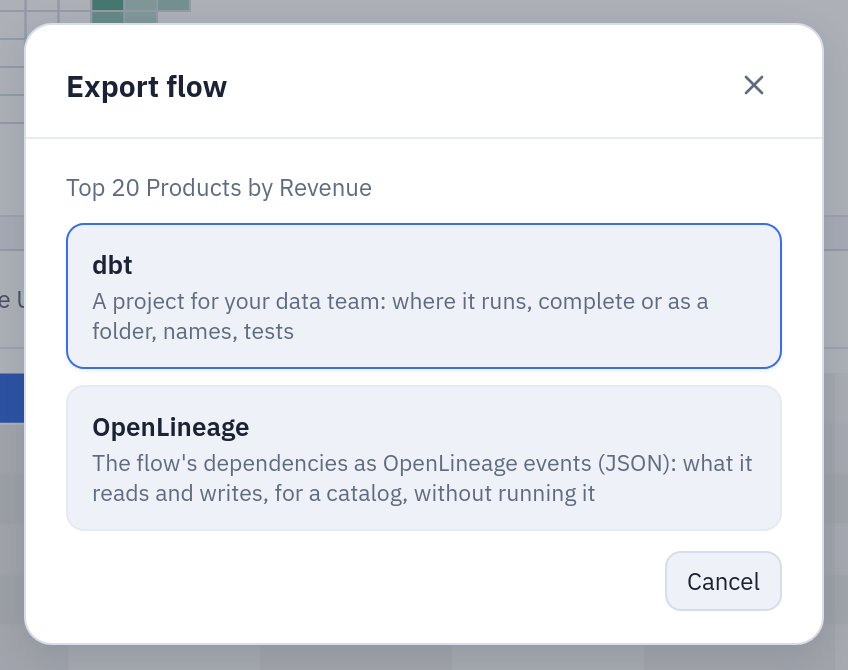
Flows → a flow's export button: OpenLineage downloads the static event, dbt the project.
What leaves the installation
Only metadata: folder and object names, descriptions, datasource names and column
names with their types and descriptions, table names, the text of the SQL query of a
query-based datasource and of a SQL script, bucket paths, image references, SMTP
servers, row counts, run times and the error message of a failed run, with any e-mail
address in it replaced by <address> (an error can name whose rights a run had, or a
recipient an SMTP server refused). No rows of data, no user names or e-mail addresses
(not even a Pushmail's recipients), no credentials (connection passwords never reach
the gateway's events). Mind that a query text or an error message can quote a literal
value: if that matters, keep the collector inside the same trust boundary as Tabularia.
Guarantees and limits
- Never in the way. Events are built in the transaction that closes the run,
from the data already written, and handed to a worker thread through a bounded
queue (500 closed runs per process, at most ~30 MB): closing a run never waits for
the collector. The
thread tries each event three times at most,
OPENLINEAGE__TIMEOUT_SECONDSeach; if the collector refuses or does not answer, the run is still closed and a warning with the run's id is in the log of the process that closed it. When the queue is full — a collector down for long — new events are dropped and the log says so once a minute. A process that stops (a rolling update) waits up to 5 seconds for its queue to drain, no more. An event is not retried later: lineage is a chronicle, not a contract; the static export can rebuild the dependencies at any time. - Cost. Building a run's events in the closing transaction takes 5–15 ms of Python and 6–17 reads (a datasource of 150 columns, a flow with three sources); serialising an event takes 3 ms in the worker thread; a full queue of 500 wide runs holds about 28 MB. Under a storm of runs (eleven flows in a loop, about two runs closing per second) the API processes serve the same requests per second with lineage on or off, whether the collector is fast or answers in 2 seconds, and the processes that emit spend about 5 points of a core more. A collector running on the same machine is a different matter: Marquez takes about one core while it ingests, and that is what slows everything else down.
- Replicas. Each gateway and orchestrator process sends its own events; the run id is a UUID derived from the run's id in Tabularia, the same from any process.
- Dataset level. Column-level lineage is not emitted yet.
Foreachloops report the datasets of the flow, not each iteration.